
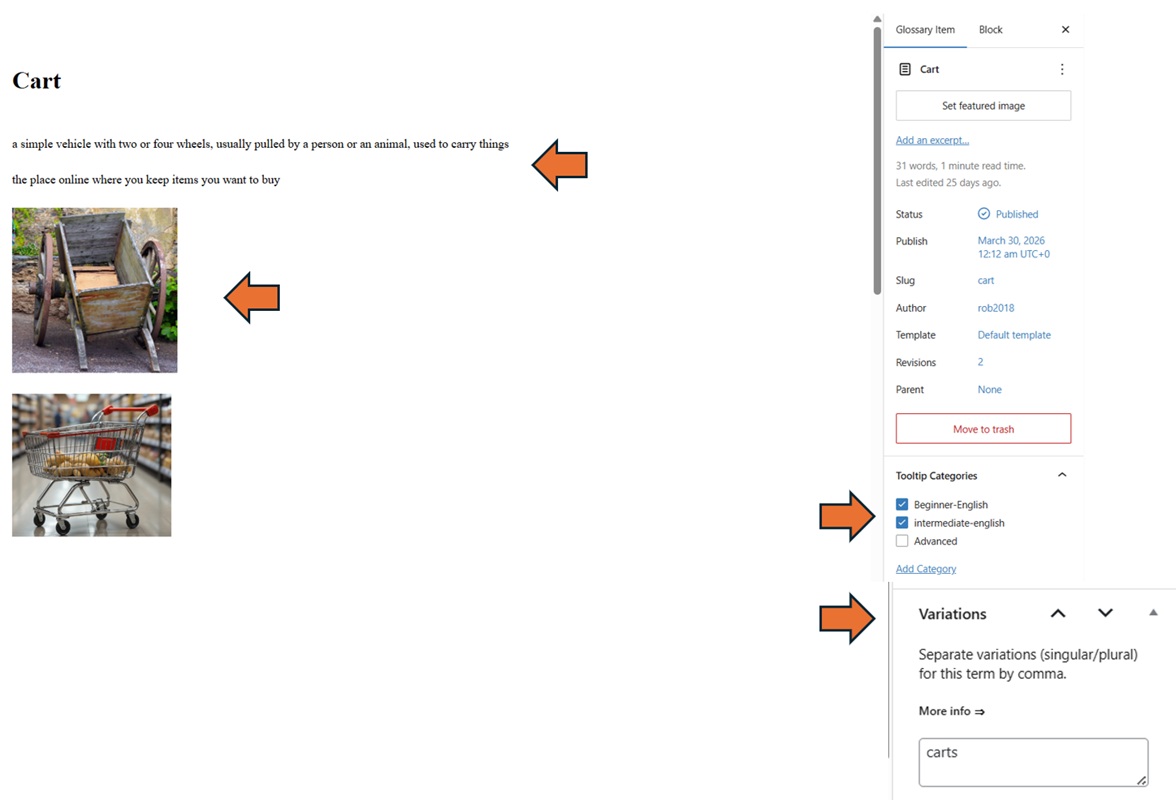
RIGHT SIDE PANEL:
Check the Level boxes
- Check all levels below the one you enter (for example, if you enter Intermediate, also check Beginner). Beginners will not see advanced words because we will not use them in texts for beginners. Unfortunately, advanced readers will see entries from all levels, which is annoying unless we find a fix for it.
Enter Variations.
- Enter at least plurals for nouns, adverbs for adjectives and conjugated forms for verbs.
- Enter related words from the same lemma (noun, verb, adjective, adverb, plural forms, conjugated forms) if readers can reasonably infer the meaning of the related word from the definition of the main glossary item.
DEFINITION & EXAMPLES:
Keep text compact. Use / instead of changing lines if required.
Enter definitions and examples that are related to the lessons in which the Glossary item is used.
Enter beginner-level definition above intermediate-level’s .
Use vocabulary appropriate to the CEFR level of the glossary item. For example, someone who needs to know the definition of “book” probably knows only the most common 50 nouns in English. Keep your definition within that limit.
Use examples that further explain the glossary item. For example: We call the waiter to ask for more water. (It helps explain what the waiter does).
IMAGES:
Keep displayed size of images small unless it’s necessary to show details (so that the entire image can be seen in the pop-up window on hover).